
Applying Gohub coupon code
You can apply your coupon during the Checkout step.
Step 1
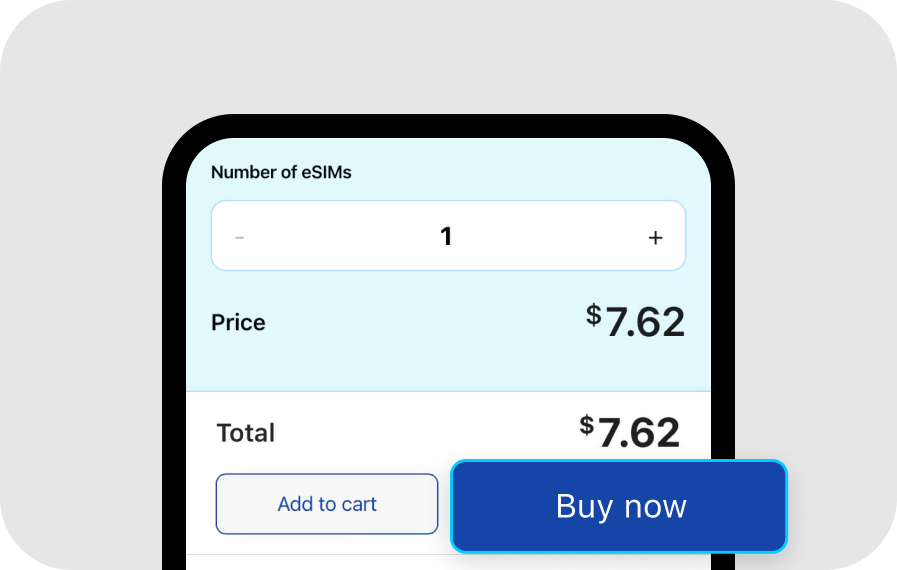
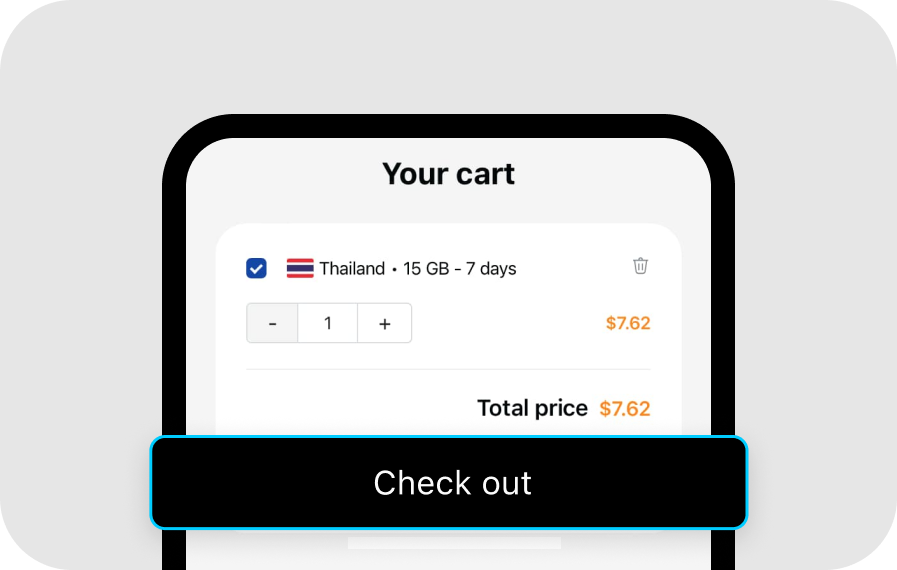
After choosing your preferred eSIM, proceed by clicking 'Buy Now' on the product page or 'Check out' from your cart to access the Check out page
Step 2
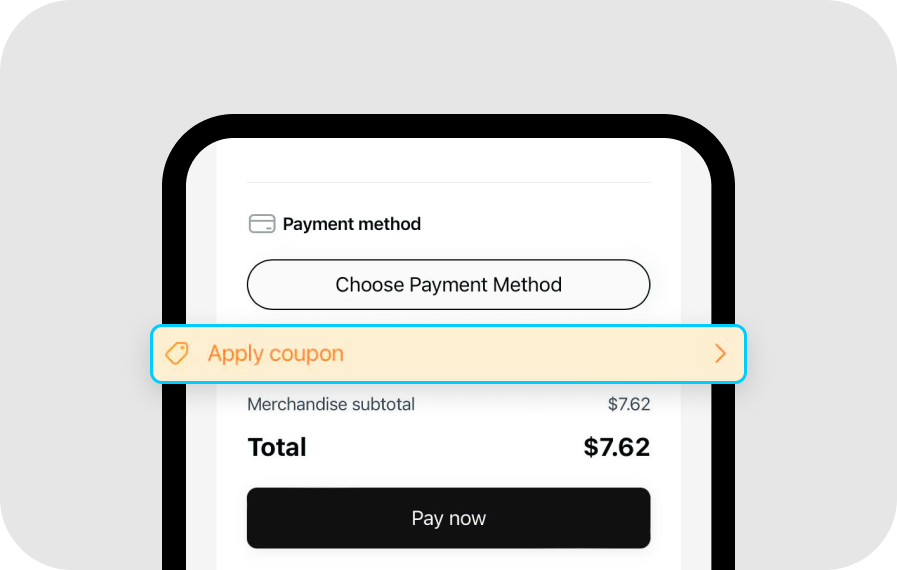
On the Checkout page, select 'Apply coupon'
Step 3
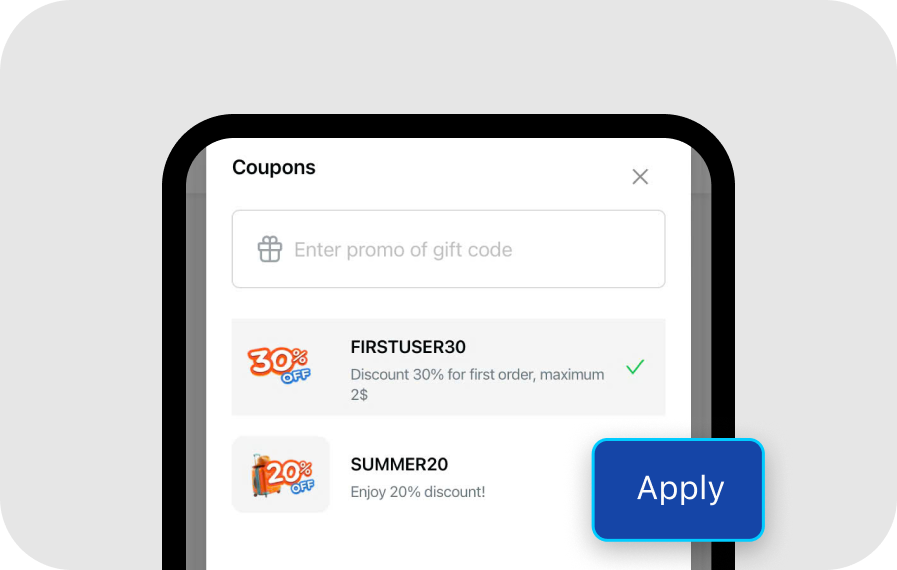
On the Coupons page, enter your gift code or choose from the available discount codes listed, click 'Apply'
Step 4
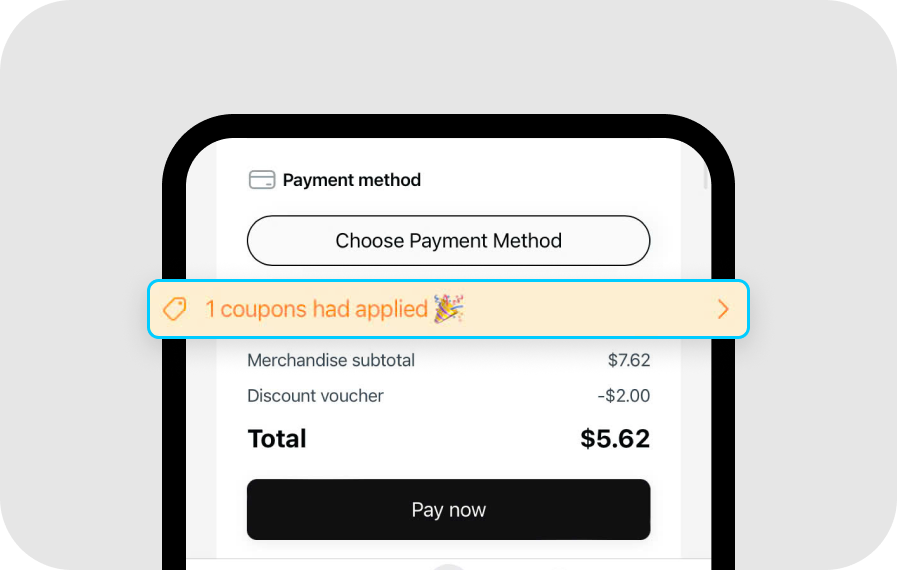
If the Checkout page shows “x coupons had applied,” your discount has been successfully activated. Enjoy the deal!
Was this article helpful?